
Week 6: Animating a Walk Cycle
- Matteo De Costanzo
- 11 dic 2020
- Tempo di lettura: 2 min

Aggiornamento: 16 apr 2021
Hello everyone, Thanks to stick with my boring blog, week 6 and we're progressing through the animation foundamentals, we get the grasp of the foundamentals and now is time to put into practice: a walk cycle. Before I start to explain what I did it here I have to admit that I had a bad period with Maya that gave me some troubles for an entry level person, I alweys worked on 2D and now that I'm trying to learn more on this powerful tool, the more I learn the more it become complicate, so before I started to work on this project I took my time to re visit the foundamentals on Maya just to be sure to not struggle later on. On this project we've been assigned to do a walking cycle with a prefab rig to experimenting and testing on, we were free to create our own or using a diffrent rig with the condition to demostrate that we were capable to show the principle in a short animation. The walking cycle is a good way to test your knowledge of animation and put it into practice because it has the good part in the process like, timing, stretch and sqash plus it has the rig part that allows you to simulate the walk, in order to do that is recommended to block out the animation is steps to edit and fix your walk later on. The animation is subdivided in an arc of action with extremes and inbetweens, the extremes are considered the start and end part of the animation and in between the inbetweens there's the breakdown/passing position. Walking has this principle as well but did you know we have multiple poses when we walk? we can blocking out 6 keys like: mediant, going down, going up, up, mediant and going down again. thanks to these factors we are able to set the keys to proced for our animation, this is the science behind and all the walks are differents, we follow a beat and every beat is different from person to person.

Summoning the science again I followed this scheme: -Extreme1 (start key): Contact -Inbetween1: Down -Breakdown: Pass pos -inbetween2: Up -Etreme2 (end key): Contact

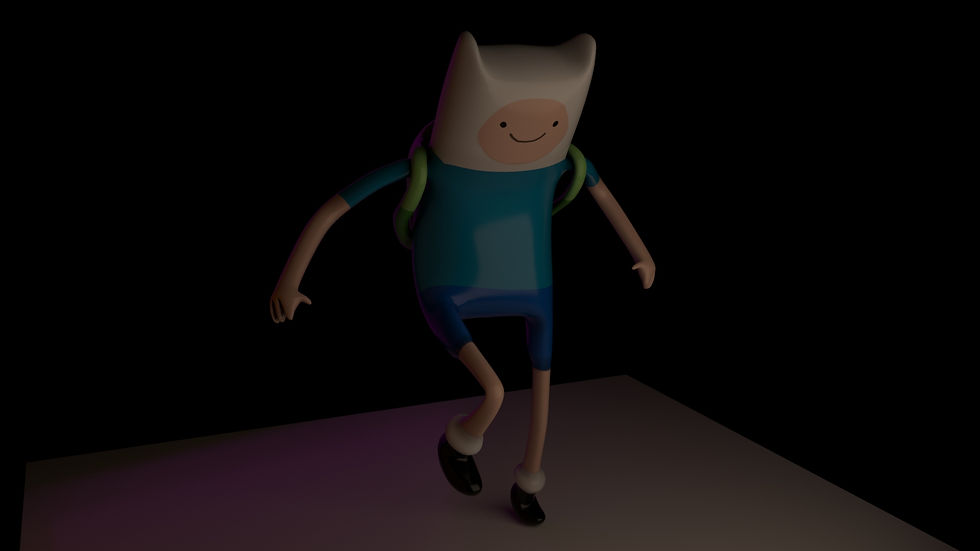
Okay, after experimenting, testing and put the theory to practice, I added some lightning to give a little bit of atmoshpere and attitude at this ball with legs that I work with. This is the end result rendered with Arnorld/Maya with a little bit of attitude.




Commenti